Editorial note: We aim to provide accurate, up-to-date software reviews to help spa owners choose the right tools for their business. The Salon Business is a subsidiary of Mangomint, a salon and spa software platform. Our reviews are based on our editors’ hands-on experience with the tools we cover. Learn more.
Spa software now covers everything from booking and payments to client management and marketing, but not every platform is built the same.
Some are designed for simple scheduling and day-to-day operations, while others focus on growth, automation or more advanced workflows.
This guide breaks down the best spa software in 2026 based on how these platforms actually perform in real-world use. Each platform was evaluated across usability, pricing, feature depth, customer support and user feedback, so you can compare what matters and make a confident decision.
Best Spa Software at a Glance
Not all spa software is built the same. Some platforms focus on operational efficiency like scheduling, payments and reporting. Others lean into growth, helping attract new clients through marketplaces or built-in marketing tools.
The right choice depends on how your spa operates and where you want to grow.
Here are the best spa management software platforms for 2026:
- Best overall spa management software: Mangomint — starting at $120/month + $10 per user Modern, intuitive platform with strong operational and business management tools.
- Best for independent professionals: GlossGenius — starting at $28/month Simple, design-forward booking and payments for solo providers.
- Best budget-friendly teams: Vagaro — starting at $30/month Broad feature set at a lower price point.
- Best for marketplace-driven growth: Fresha — starting at $20/month or $15/user Low-cost option with built-in client discovery.
- Best for getting started: Square Appointments — free for individuals, $49/month for teams Accessible system with essential scheduling and POS tools.
- Best for premium client experience: Boulevard — starting at $176/month Premium tools focused on retention and high-end booking experiences.
- Best for enterprise spa businesses: Zenoti — custom pricing Robust platform built for multi-location operations.
- Best for memberships and retention: Booker — starting at $139/month Established platform with built-in client acquisition tools.
Below you’ll find a side-by-side comparison of the top spa software platforms, followed by detailed reviews of each option.
How We Evaluated These Spa Management Software Platforms
To compare the leading spa software platforms, we focused on how each system performs in real-world practice settings. That means looking beyond feature lists to how well the software supports both clinical workflows and day-to-day operations.
User experience and interface design
How intuitive the platform is for daily scheduling, client management and staff use. We looked at navigation, layout, ease of onboarding new team members and overall usability across devices.
Client experience: booking and communication
How easily clients can discover, book and manage appointments. This includes online booking, reminders, intake forms, waitlists and ongoing communication before and after visits.
Advanced features
Some platforms support more advanced workflows beyond standard spa operations. We evaluated tools like treatment tracking, consent forms, before-and-after photos and client notes where applicable.
Business management features
Tools that support running and growing the business, including reporting, inventory tracking, staff management, payments, marketing tools and integrations with other systems.
Pricing transparency and contract terms
Monthly costs, onboarding and add-on fees, contract requirements and how easy it is to understand what you’ll actually pay as your practice grows.
Quick Overview of the Best Spa Management Software 2026
Below is a side-by-side comparison of the top spa management platforms in 2026, each with a different approach to running and growing your business. Note: Starting prices are rounded to the nearest dollar for readability. See individual sections for exact pricing.
 Mangomint
Best Overall Spa Management Software
Note
The overall score considers ease of use, customer service, features, user ratings, and cost. Scores are determined solely by our editorial team.
Note
Starting price reflects the lowest base plan offered by the platform. Actual costs will vary depending on team size, features, add-ons and payment processing volume. See the pricing section below for more details.
$120/month + $10 per user
U.S, Canada
 Genius AI
Spa Software Designed for Solo Professionals
Note
The overall score considers ease of use, customer service, features, user ratings, and cost. Scores are determined solely by our editorial team.
Note
Starting price reflects the lowest base plan offered by the platform. Actual costs will vary depending on team size, features, add-ons and payment processing volume. See the pricing section below for more details.
$28/month
U.S.
 Vagaro
Affordable Spa Software with a Broad Feature Set
Note
The overall score considers ease of use, customer service, features, user ratings, and cost. Scores are determined solely by our editorial team.
Note
Starting price reflects the lowest base plan offered by the platform. Actual costs will vary depending on team size, features, add-ons and payment processing volume. See the pricing section below for more details.
$30/month
U.S., Canada, UK, Australia
 Fresha
Spa Software with Built-In Marketplace and Flexible Pricing
Note
The overall score considers ease of use, customer service, features, user ratings, and cost. Scores are determined solely by our editorial team.
Note
Starting price reflects the lowest base plan offered by the platform. Actual costs will vary depending on team size, features, add-ons and payment processing volume. See the pricing section below for more details.
$20/month for individuals or $15/month per team member
Available in multiple languages and over 120 countries worldwide
 Square Appointments
Simple Spa Booking and POS Software for Small Teams
Note
The overall score considers ease of use, customer service, features, user ratings, and cost. Scores are determined solely by our editorial team.
Note
Starting price reflects the lowest base plan offered by the platform. Actual costs will vary depending on team size, features, add-ons and payment processing volume. See the pricing section below for more details.
Solo: Free Teams: $49 per location
U.S., Canada, UK., Australia, Japan
 Boulevard
Premium Spa Software Focused on Client Experience
Note
The overall score considers ease of use, customer service, features, user ratings, and cost. Scores are determined solely by our editorial team.
Note
Starting price reflects the lowest base plan offered by the platform. Actual costs will vary depending on team size, features, add-ons and payment processing volume. See the pricing section below for more details.
$176/month
U.S.
 Zenoti
Enterprise Spa Software for Multi-Location Businesses
Note
The overall score considers ease of use, customer service, features, user ratings, and cost. Scores are determined solely by our editorial team.
Note
Starting price reflects the lowest base plan offered by the platform. Actual costs will vary depending on team size, features, add-ons and payment processing volume. See the pricing section below for more details.
Custom pricing
Available in nearly 50 countries worldwide
 Booker
Established Spa Software with Strong Membership Tools
Note
The overall score considers ease of use, customer service, features, user ratings, and cost. Scores are determined solely by our editorial team.
Note
Starting price reflects the lowest base plan offered by the platform. Actual costs will vary depending on team size, features, add-ons and payment processing volume. See the pricing section below for more details.
$139/month
Available almost worldwide
Watch our YouTube on the best salon and spa software

A while back Kayle Yanez and John Hallberg discussed favorite salon and spa software. Though we’ve made some updates in our reviews, it covers many of the platforms featured here and is worth the watch.
A Deeper Dive into Spa Management Platforms
Let’s look closer at the 8 spa software programs, including differentiators, what’s lacking and what type of spa business they’re best designed for. Our impressions and assessments are based on usage and research. Note: Starting prices are rounded to the nearest dollar for readability. See individual sections for exact pricing.
#1
Mangomint
Best Overall Spa Management Software
Note
The overall score considers ease of use, customer service, features, user ratings, and cost. Scores are determined solely by our editorial team.
Note
Starting price reflects the lowest base plan offered by the platform. Actual costs will vary depending on team size, features, add-ons and payment processing volume. See the pricing section below for more details.
$120/month + $10 per user
U.S, Canada
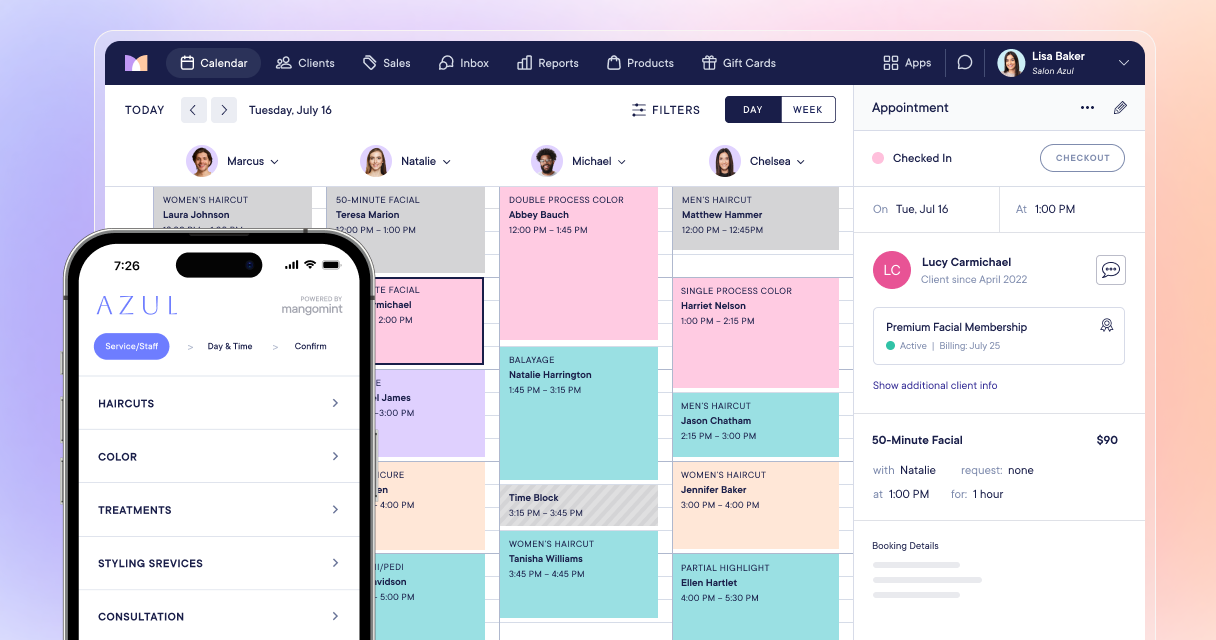
Mangomint stands out for how cleanly it brings together daily operations, client experience and clinical functionality.
The platform is intuitive from the start. Navigation feels natural, onboarding is straightforward, and teams can get up to speed quickly without heavy training. Small details are handled well, which adds up in day-to-day use.
Beyond the basics, Mangomint includes features that meaningfully improve how a spa runs. Two-way client texting, an intelligent waitlist that fills gaps automatically, self checkout and flexible service add-ons all reduce friction for both staff and clients. Marketing tools are built in, making it easier to stay connected without relying on multiple systems.
If you run a medical spa, Mangomint also supports HIPAA compliance along with robust charting and treatment notes, so clinical workflows are handled alongside business operations.
Best for growing and multi-location teams that want a modern system without sacrificing depth.
Recent Updates
- Built-in phone calls, text and web chat: Additions to Mangomint’s communication suite allow you to take phone calls,send and reply to text messages and answer web chats all from your Mangomint inbox.
- Text marketing blasts: Expanded text marketing features let you send text blasts to your client list.
- Online memberships and packages: New membership and package features let clients purchase directly from your website.
- Expanded booking options: Updated online booking options let clients manage rescheduling and schedule group bookings (including different services for each guest).
Pros and Cons
- Strong customer support with consistently high user ratings
- Robust clinical tools including SOAP notes, forms and charting
- Clean, modern interface that’s easy for teams to adopt
- No contracts with full data ownership
- Higher starting price than many entry-level platforms
- Limited to the U.S. and Canada
Review & Tutorial
John Hallberg walks through Mangomint’s platform in detail, covering key features and an overview of pros and cons to help you understand how it works in practice.

Exclusive offer on Mangomint!
Get one month for free when you sign up using this link. Just inform the team that you were recommended by The Salon Business.
#2
Genius AI
Spa Software Designed for Solo Professionals
Note
The overall score considers ease of use, customer service, features, user ratings, and cost. Scores are determined solely by our editorial team.
Note
Starting price reflects the lowest base plan offered by the platform. Actual costs will vary depending on team size, features, add-ons and payment processing volume. See the pricing section below for more details.
$28/month
U.S.
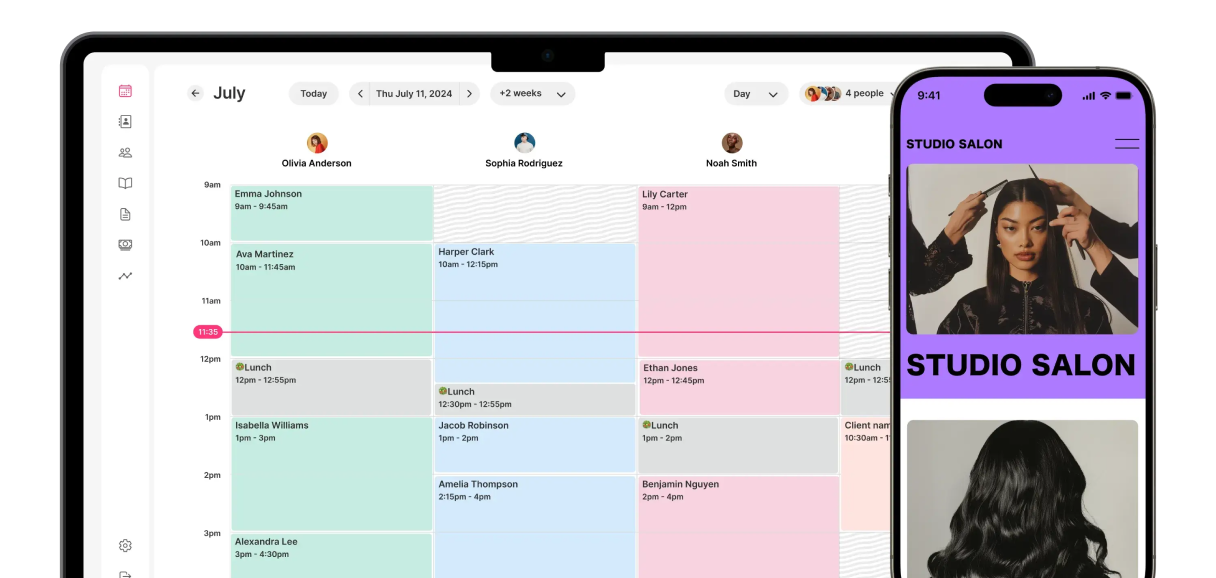
GlossGenius is designed for independent spa professionals who want a simple, polished way to manage bookings, payments and client communication.
The platform is mobile-first, with a clean interface that makes daily tasks easy to manage without a steep learning curve. Setup is quick, and most features are accessible without digging through complex menus.
Where GlossGenius stands out is in the client-facing experience. Booking pages, payment flows and branded communications feel elevated, which can help solo providers present a more premium business.
That simplicity comes with limits. Larger teams or spas with more complex workflows will likely outgrow the platform, especially when it comes to reporting, customization and integrations.
Best for independent professionals, though higher-tier plans now support small teams and more complex setups.
Recent Updates
- Resource and room scheduling: Services can now be tied to specific rooms or equipment, helping prevent double bookings while keeping schedules flexible.
- AI reporting and marketing tools: New AI features allow you to ask business questions in plain language and quickly generate things like follow-up messages or promotions.
- Buy Now, Pay Later (BNPL): Clients can split payments on higher-ticket services, while the spa receives full payment upfront.
- Team performance tracking: Updated reporting includes provider-level metrics like rebooking rates, along with more flexible commission structures.
- Memberships and service packages: Tools for recurring memberships and prepaid service series are now built in and easier to manage.
- Digital intake forms: Clients can complete forms and waivers during booking, with information saved directly to their profile.
Pros and Cons
- Intuitive features that are easy-to-use
- Professional looking salon website in just a few clicks
- Integrated payments with a nicely designed card reader
- Affordable and transparent flat fee pricing
- Limited integrations and customization options for larger teams
- Limited functionality on desktop (some features only available on mobile)
- While staff-oriented features have expanded, there is limited support for large teams
- No booking widget to integrate on existing website (need to link to your GlossGenius website)
#3
Vagaro
Affordable Spa Software with a Broad Feature Set

Note
The overall score considers ease of use, customer service, features, user ratings, and cost. Scores are determined solely by our editorial team.
Note
Starting price reflects the lowest base plan offered by the platform. Actual costs will vary depending on team size, features, add-ons and payment processing volume. See the pricing section below for more details.
$30/month
U.S., Canada, UK, Australia
Vagaro offers one of the broadest feature sets at a lower price point, making it a common choice for spas that want an all-in-one system without a high monthly cost.
The platform covers core business needs, including scheduling, payments, marketing tools, payroll and website building. For many spas, it can replace multiple systems.
It also includes a built-in marketplace, which can help attract new clients, especially for businesses still building their base.
The tradeoff is usability. The interface can feel dated, and the depth of features introduces a learning curve. Some users also report performance issues, which is worth testing before committing.
Best for budget-conscious teams that want flexibility and are willing to navigate a more complex system.
Recent Updates
- New “Aura” calendar: Redesigned interface for faster scheduling and direct checkout from the calendar view.
- AI tools: Built-in AI helps generate service descriptions, staff bios and marketing content.
- Messaging upgrades: SMS campaigns now support images and GIFs for more engaging promotions.
- Instant payouts: Payment updates allow faster access to funds without standard payout delays.
- Inventory improvements: Barcode scanning and tracking tools simplify retail and backbar management.
- Business reporting tools: New performance insights help track key metrics and identify growth opportunities.
Pros and Cons
- Broad feature set at a relatively low price point
- Built-in marketplace to help attract new clients
- Flexible tools for memberships, payments and client management
- Integrates with tools like QuickBooks, Facebook and Zoom
- Interface can feel dated compared to newer platforms
- Occasional performance issues and slower load times
- Requires clients to create an account to book appointments
- Learning curve for new users
Review & Tutorial
John Hallberg walks through Vagaro’s platform in detail, covering key features and an overview of pros and cons to help you understand how it works in practice.

#4
Fresha
Spa Software with Built-In Marketplace and Flexible Pricing
Note
The overall score considers ease of use, customer service, features, user ratings, and cost. Scores are determined solely by our editorial team.
Note
Starting price reflects the lowest base plan offered by the platform. Actual costs will vary depending on team size, features, add-ons and payment processing volume. See the pricing section below for more details.
$20/month for individuals or $15/month per team member
Available in multiple languages and over 120 countries worldwide
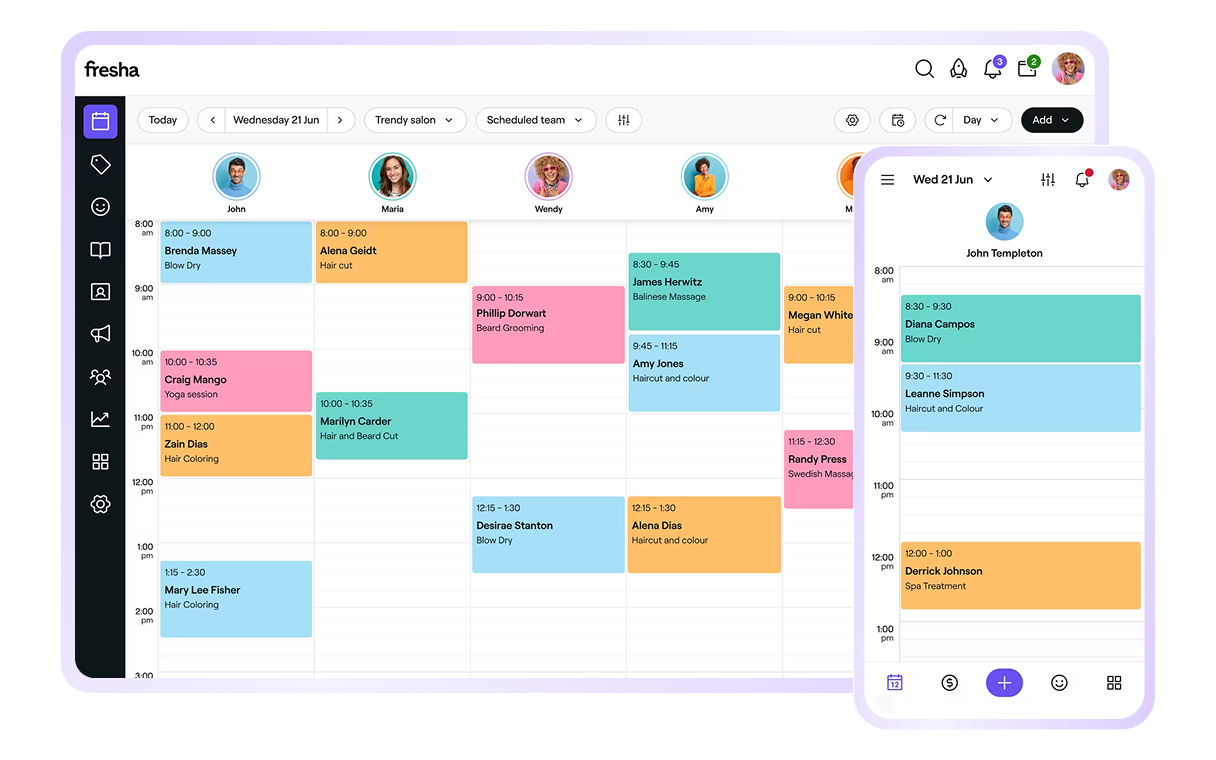
Fresha takes a different approach by combining spa management tools with a built-in marketplace designed to drive client discovery. Recent updates show a shift toward supporting larger teams and more complex spa operations.
The platform is easy to use and works well out of the box. Booking, scheduling, POS and client management are included, with minimal setup required. Client profiles also support spa-specific details like treatment history and preferences.
Pricing is attractive, especially for smaller teams, but the model includes fees tied to bookings and new client acquisition through the marketplace.
Customization is limited. Booking flows are tied to Fresha’s ecosystem and integrations are minimal, which can be restrictive for spas that want more control over their brand or tech stack.
Best for spas that want a low upfront cost and are open to using a marketplace to grow.
Recent Updates
- Messaging updates: Manage SMS, email and WhatsApp conversations in one place for easier client communication.
- Room and resource scheduling: Assign services to specific rooms or equipment to help avoid booking conflicts.
- Memberships and packages: More flexible options for recurring bookings, service bundles and client retention.
- Booking through Google: Clients can discover and book services directly through Google Search and related tools.
- Enhanced client profiles: Improved tracking of preferences, service history and client information.
- Multi-location support: New tools help manage teams, permissions and performance across locations.
- Payment updates: Added options like QR code payments and expanded Apple Pay support.
Pros and Cons
- User-friendly and easy to learn
- Used by salons in more than 120 countries
- Marketplace that can help attract new clients
- Limited options to customize the appearance (default designs look good, though)
- Clients are required to create a Fresha account to book
- Online booking redirects clients to a Fresha booking page rather than staying fully embedded on your website
- Limited support for integration with other platforms. You’re locked into using the Fresha tools
Review & Tutorial
John Hallberg walks through Fresha’s platform in detail, covering key features and an overview of pros and cons to help you understand how it works in practice.

#5
Square Appointments
Simple Booking and POS Software for Small Teams
Note
The overall score considers ease of use, customer service, features, user ratings, and cost. Scores are determined solely by our editorial team.
Note
Starting price reflects the lowest base plan offered by the platform. Actual costs will vary depending on team size, features, add-ons and payment processing volume. See the pricing section below for more details.
Solo: Free Teams: $49 per location
U.S., Canada, UK., Australia, Japan
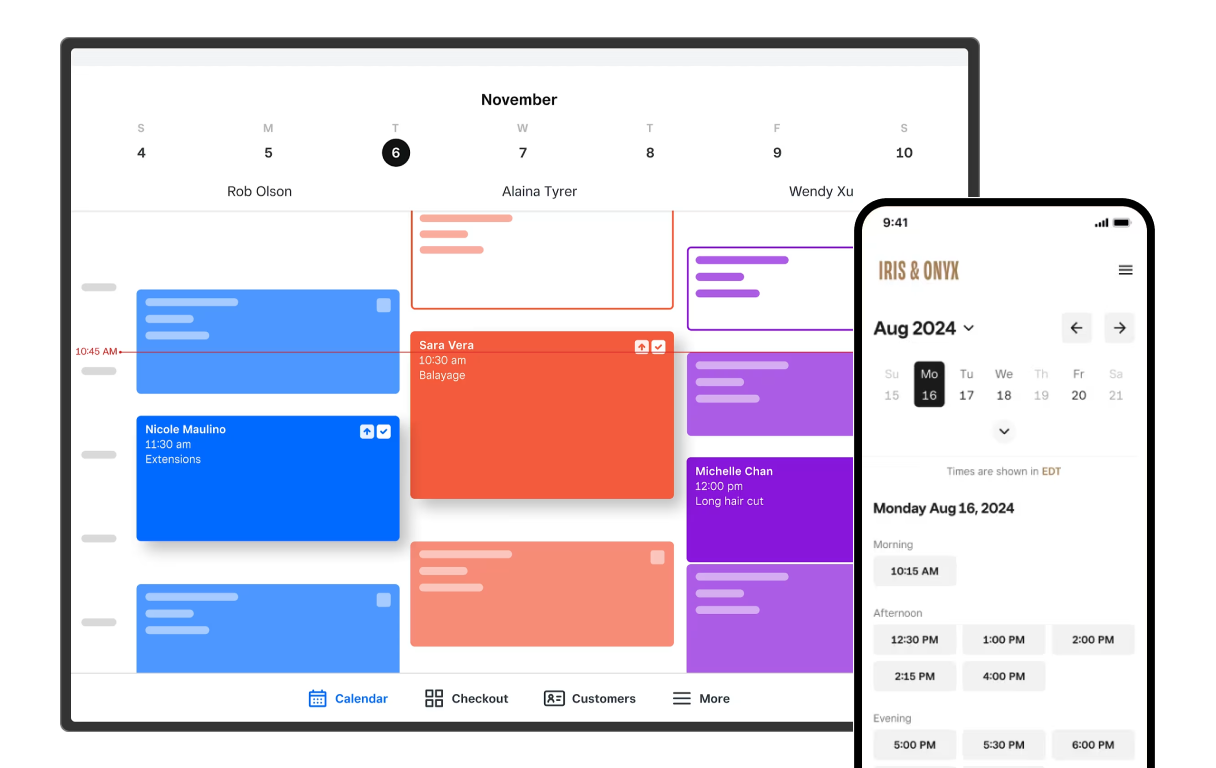
Square Appointments is a straightforward option for spas that want reliable scheduling and payment tools without added complexity.
The platform is easy to learn and integrates seamlessly with Square’s broader ecosystem, including POS hardware, payments and reporting. This makes it a practical choice for businesses already using Square.
Core features like online booking, reminders and client management are handled well, but the system is less customizable than more specialized spa platforms. As teams grow, costs can increase and limitations around workflows and branding may become more noticeable.
Best for solo providers and simpler setups, as recent updates have made it more viable for small teams, not just individuals.
Recent Updates
- Deposits and no-show protections: New tools allow you to collect deposits and set service-specific cancellation or no-show fees.
- Booking and waitlist updates: Improved waitlist features help fill cancellations faster and keep schedules full.
- Reserve with Google: Clients can now book directly through Google Search and Maps, making it easier to get discovered.
- Tap to Pay on mobile: Expanded Tap to Pay lets staff accept contactless payments directly from their phone, without extra hardware.
- Packages and service tracking: New tools support service bundles and help track service costs for better visibility into margins.
- Team and scheduling updates: Improvements to staff permissions and scheduling make it easier to manage availability and calendars.
Pros and Cons
- Free plan available for solo professionals
- Clean, intuitive interface
- Integrates with Square’s broader ecosystem of business tools
- Strong core business tools, including inventory, reporting and client management
- Limited customization for booking pages, widgets and emails
- Costs can increase as teams grow across multiple stylists or locations
Review & Tutorial
John Hallberg walks through the Square Appointments platform in detail, covering key features and an overview of pros and cons to help you understand how it works in practice.

#6
Boulevard
Premium Spa Software Focused on Client Experience
Note
The overall score considers ease of use, customer service, features, user ratings, and cost. Scores are determined solely by our editorial team.
Note
Starting price reflects the lowest base plan offered by the platform. Actual costs will vary depending on team size, features, add-ons and payment processing volume. See the pricing section below for more details.
$176/month
U.S.
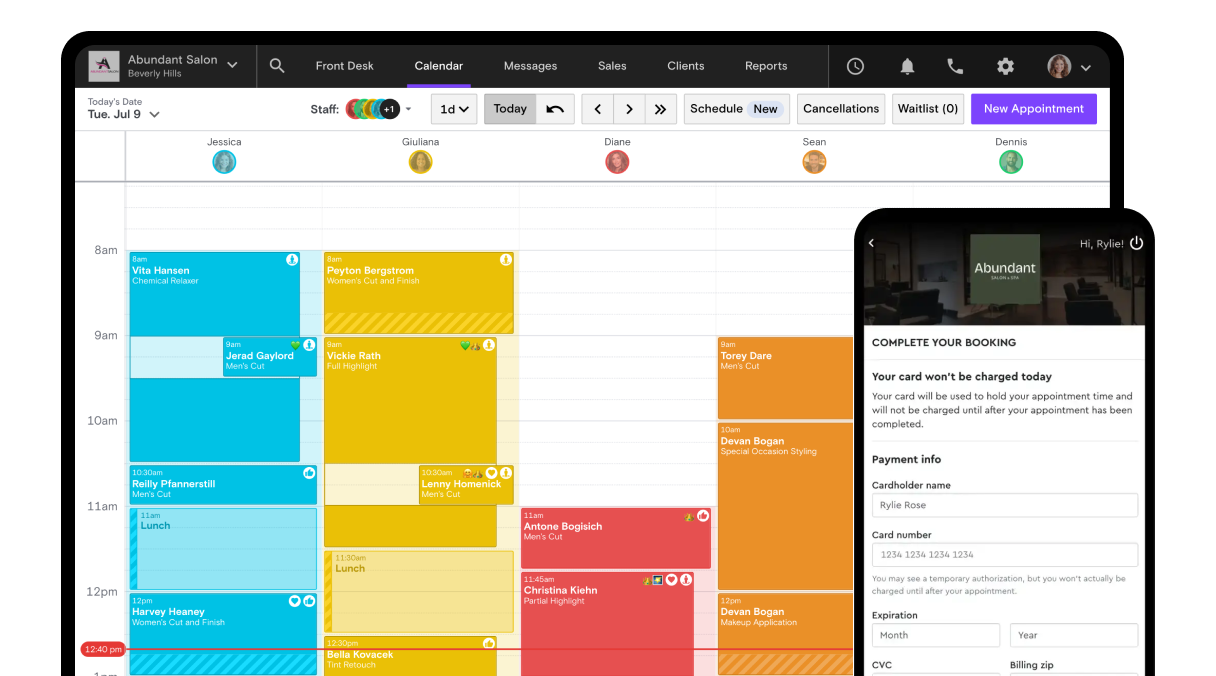
Boulevard is positioned as a premium platform focused on client experience, retention and high-end service businesses.
The interface is polished, and the booking experience is designed to feel seamless for clients. Features like automated messaging, smart scheduling and built-in marketing tools support repeat visits and revenue growth.
Pricing is higher than most competitors, and contracts are required, which makes it a longer-term commitment.
Best for established spas that prioritize brand experience and client retention.
Recent Updates
- AI scheduling improvements: Updated scheduling tools help optimize booking gaps and manage room and equipment availability.
- “Billie” AI assistant: In-platform assistant helps handle client questions, bookings and rebooking workflows automatically.
- Boulevard Capital: Financing program that gives businesses faster access to funds based on performance.
- Membership updates: New billing options and tools support more flexible memberships and recurring revenue.
- Mobile app improvements: Updated app experience with real-time schedule updates and easier day-to-day management.
- Marketing tools: AI-assisted tools help generate promotional content and client communications.
Pros and Cons
- Polished, modern interface with strong client experience
- Built-in marketing and communication tools
- Scheduling tools help optimize booking gaps
- Solid integrations with third-party tools
- Higher price point across all plans
- Requires a contract commitment
- Clinical features are less robust than some competitors
- Some limitations in marketing attribution and reporting
Review & Tutorial
Kayle Yanez discusses the pros and cons of Boulevard’s platform to help you understand how it works in practice.
#7
Zenoti
Enterprise Spa Software for Multi-Location Businesses
Note
The overall score considers ease of use, customer service, features, user ratings, and cost. Scores are determined solely by our editorial team.
Note
Starting price reflects the lowest base plan offered by the platform. Actual costs will vary depending on team size, features, add-ons and payment processing volume. See the pricing section below for more details.
Custom pricing
Available in nearly 50 countries worldwide
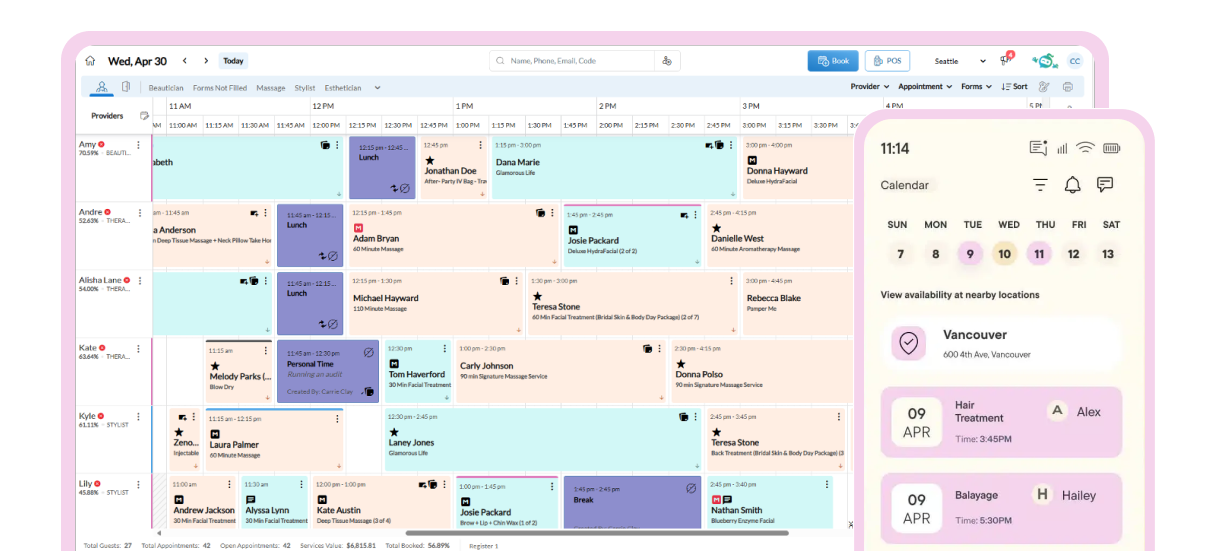
Zenoti is an enterprise-level platform built for multi-location spa businesses and large teams.
It offers a comprehensive feature set, including booking, POS, inventory, memberships, reporting and marketing tools, along with EMR and compliance support for medical spa environments. The platform is increasingly focused on automation and operational efficiency at scale.
Where Zenoti stands out is in its depth and customization, with the ability to configure workflows, reporting and operations across locations.
That flexibility comes with complexity. Implementation takes time, onboarding can be intensive and pricing is less transparent than smaller platforms.
Best for larger spa businesses that need scale, control and advanced reporting.
Recent Updates
- AI receptionist tools: Automated assistants help handle calls, bookings and follow-ups, keeping schedules full without added staff effort.
- Scheduling improvements: Updates to the appointment book make it easier to manage staff schedules and navigate daily calendars.
- Room and resource management: Improved tools help coordinate staff, rooms and equipment to avoid booking conflicts.
- AI insights and reviews: New tools summarize client feedback and help businesses respond to reviews more efficiently.
- Mobile checkout: Updated mobile tools support in-room checkout with payments, tips and receipts handled on the spot.
Pros and Cons
- Designed for multi-location and enterprise-level businesses
- Advanced reporting and analytics across locations
- Extensive integrations and customization options
- Strong training resources
- Complex system with a steeper onboarding process
- Pricing is not transparent and typically higher
- Requires a long-term contract
- Mobile app performance receives mixed reviews
#8
Booker
Established Spa Software with Strong Membership Tools
Note
The overall score considers ease of use, customer service, features, user ratings, and cost. Scores are determined solely by our editorial team.
Note
Starting price reflects the lowest base plan offered by the platform. Actual costs will vary depending on team size, features, add-ons and payment processing volume. See the pricing section below for more details.
$139/month
Available almost worldwide
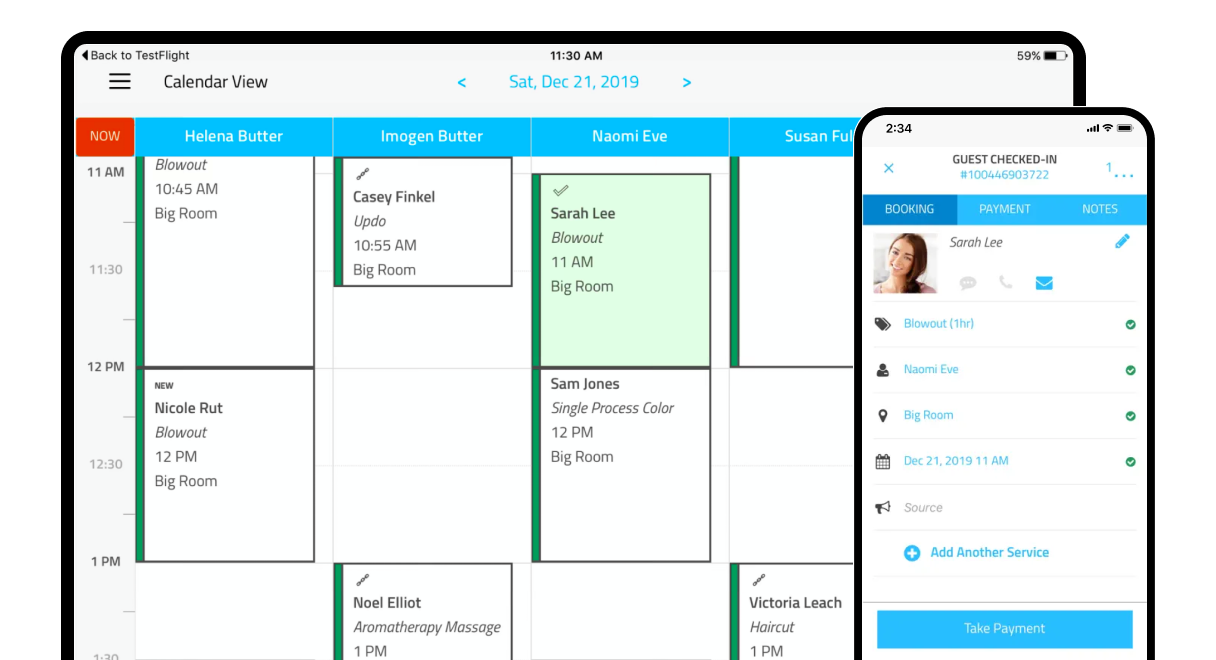
Booker is one of the more established platforms in the spa and wellness space, with a focus on client acquisition and marketing.
It includes core business tools like scheduling, payments, memberships and reporting, along with access to the Mindbody marketplace for new client discovery.
The platform is widely used, but the product experience feels dated compared to newer systems. Mobile performance and usability are common concerns among users.
Booker also requires a contract and does not offer a free trial, which makes evaluation before commitment more difficult.
Best for businesses that value marketplace exposure and built-in marketing, and are comfortable with a more traditional system.
Recent Updates
- Booking flow improvements: Updated branded web booking tools allow clients to book multiple services in a single checkout and view clearer schedule availability.
- Membership and package enhancements: Updates improve how businesses sell and manage memberships, including better tracking of benefits and service packages.
- Analytics and staff insights: New analytics dashboards provide clearer visibility into staff performance, scheduled hours, cancellations and revenue trends.
- Marketing tools: Updates support more targeted promotions and outreach.
Pros and Cons
- Straightforward pricing
- Enhanced new client acquisition opportunities through MindBody Explore marketplace
- Integrated email marketing suite (on higher-tier plans)
- Memberships, packages, gift cards (physical and digital)
- No free trial
- Must commit to a minimum 12-month contract before ever using the software
- U.S.-based customer support only available to Ultimate and Ultimate Plus plans (outsourced on Starter and Accelerate plans)
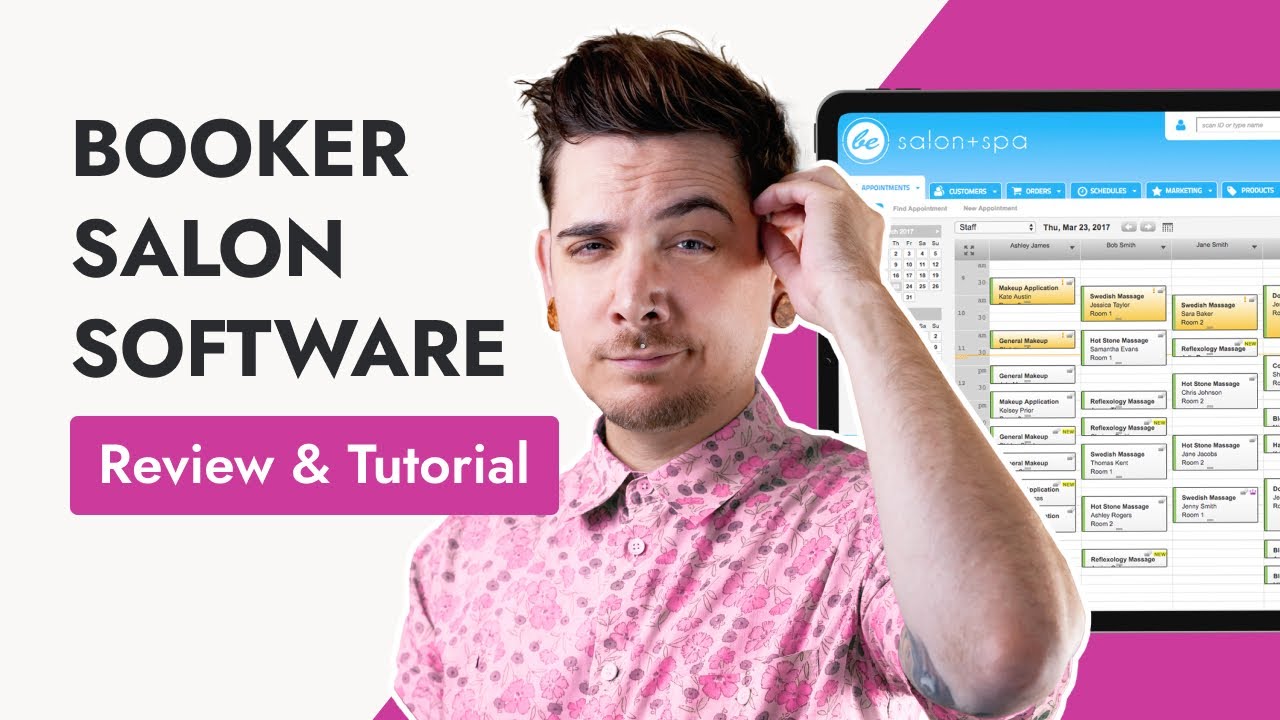
Review & Tutorial
Kayle Yanez discusses the pros and cons of Booker’s platform to help you understand how it works in practice.
Let’s Compare the Spa Management Software Options
To make the differences clearer, we compared these platforms across the areas that matter most in day-to-day use. From real user feedback to usability and pricing, this breakdown highlights where each system stands out and where tradeoffs may come into play.
User Reviews
Here’s how users rate the top spa management platforms across the most widely used review sites. Mangomint leads in overall satisfaction, but several platforms perform well, especially when it comes to usability and core features.



*For Square Payments only. †For the Square mobile app, not specifically Square Appointments. **Aesthetic Record EMR app not available in Google Play, only Aesthetic Record Community (no reviews at the time of publication).
User ratings give a helpful snapshot, but they don’t tell the full story. To understand how these platforms actually perform, it’s important to look at usability, workflow and how each system holds up in daily operations.
User Experience
User experience is where the biggest differences start to show. Some platforms are easy to learn and navigate from day one, while others require more time to set up and manage. This comparison looks at how each system performs across usability, interface design and overall day-to-day efficiency.
Ease of use
Design
Customer service
Pricing Compared
Pricing varies across platforms, from simple monthly plans to more complex pricing tied to team size, features or payment volume. The figures shown here reflect starting prices, but actual costs can increase depending on how your spa operates and the tools you need. To get an accurate sense of cost, it’s worth reviewing each platform’s pricing structure in detail before making a decision.
Mangomint
Starting price
$120/month + $10 per user
Trial Options
Free trial available
Minimum contract
Cancel any time
- One simple plan: $120/month per location + $10/month per user
- Phone (unlimited Calls & Texting): $70/month
- Payroll Processing: $50/month + $8/month per worker
- Marketing: Pay as you go and plans available, $0.01 per marketing credit or plans starting at $30/month
- In-person payments: 2.45% + $0.15
- Online payments: 2.90% + $0.20
- Custom rates available for businesses processing over $50k/month
Genius AI
Starting price
$28/month
Trial Options
14-day free trial
Minimum contract
Cancel any time
- Standard: $28/month (core scheduling, booking site and POS)
- Gold: $56/month (adds marketing tools, waitlists and team features)
- Platinum: $168/month (includes unlimited team members and expanded marketing capabilities)
- Payroll: $40 + $6/month per seat
- 2.6% on all transactions
Vagaro
Starting price
$30/month
Trial Options
30 day free trial
Minimum contract
Cancel any time
- Individual: $30/month
- Additional staff: $10/month per user
- Staff fees capped after the seventh paid user
- Multi-location businesses require custom enterprise pricing
- Text Marketing: Starting at $20/month (500 texts/month)
- Email Marketing: Free to start (1,000 emails/month)
- Forms: $10/month
- Online Shopping Cart: $10/month
- Vagaro MySite (website builder): $20/month
- Data Lake: $40/month
- Xero Integration: $30/month
- Vagaro Drive (cloud storage): Starting at $10/month
- Live Stream: $10/month
- Check-in App: $10/month
- Additional visibility in the Vagaro marketplace (pricing varies)
- Get Featured (marketplace ranking): $10/month
- Branded App: $100/month
- Payroll: $34/month +$5/employee
- QuickBooks Integration: $10/month
- Small merchants (<$4,000/month)
2.6% + $0.10 per swipe
3.5% + $0.15 keyed-in - Large merchants (>$4,000/month)
2.2% + $0.19 per swipe
3.5% + $0.15 keyed-in
$10 monthly fee
Fresha
Starting price
$20/month for individuals or $15/month per team member
Trial Options
14 day free trial
Minimum contract
Cancel any time
- Independent: $19.95/month for one-person businesses
- Team: $14.95/month per bookable team member
- Marketplace new client fee: 20% (min $6 per new client). This only applies to new clients who book via the Fresha marketplace
- Client Loyalty (loyalty program): $59.95/month per location
- Insights (reporting): $9.95/month per team member
- Data Connector (data export): $295/month per location
- Google Rating Boost: $14.95/month per location
- Premium Support (phone and chat customer support): $14.95/month (Independent plan); Included for Team plan
- In-person payments: 2.29% + $0.20 per transaction
- Online payments: 2.79% + $0.20 per transaction
- Tap to Pay: $0.10 per authorization
- Manual payments: 3.30% + $0.20
Square Appointments
Starting price
Solo: Free Teams: $49 per location
Trial Options
Free base tier plan 30-day free trial for Plus and Premium plans
Minimum contract
Cancel any time
- Free: $0/month (only very essential features)
- Plus: $49/month per location (adds client notifications and cancellation policies)
- Premium: $149/month per location (includes more sophisticated features like resource management).
- Unlimited calendars on all plans
- Email Marketing: $15/month
- SMS Marketing: $10/month
- Square Loyalty: $45/month
- Square Payroll: $35 + $6/month per user
- In-person payments: 2.5% + $0.10
- Online payments: 2.9% + $0.30
- Manual payments: 3.5% + $0.15
Boulevard
Starting price
$176/month
Trial Options
Must request trial via a demo call
Minimum contract
12 months
- Essentials: $176/month
- Premier: most popular plan – $325/month
- Prestige: upper-tier plan – $455/month
- Enterprise: custom plan for chains and franchises; pricing is custom
- Forms and Charts: $55/month per location
- Contact Center: Starting at $25/month per location
- QuickBooks Integration: $45/month per location
- Automated Email Campaigns: $2 per completed appointment
- One-Time Blast Emails: Specific # included with each plan, $0.01 per email thereafter
With Offset Feature
- 3% charged to client, business charged 1%
Without Offset Feature
- In-person payments: 2.6% + $0.10
- Online payments: 3.5% + $0.10
Zenoti
Starting price
Custom pricing
Trial Options
No free trial
Minimum contract
Typically 12 months
Zenoti does not publish pricing on its website. These are the recommended packages they offered us as a potential client:
Recommended Option #1: $350/month per location
- “Salon Core Package”
- ezConnect (two-way SMS feature)
- 7,500 marketing emails
- 1,000 marketing texts
Recommended Option #2: $450/month per location
- Everything in Option #1, plus
- Marketing Plus Package
- Custom-branded client-facing mobile app
- ezRepute (review management feature)
Recommended Option #3: $500/month per location
- Option #1, plus
- Smartbot (AI powered chatbot feature)
- ezConnect: In-App Two-Way Text Messaging: $29–$169/month per location
- ezRepute: Reputation Management Suite: $189/month per location
- Smart Bot (Web / IVR): $150–$400/month per location
- ezPulse: Employee Performance Tracking Suite: $49/month per location
- Credits (Email and SMS Marketing Campaigns): $180–$1,500
Credit card processing rates through Zenoti Payments:
- In person payments (except American Express): 2.45% + $0.10
- Online payments (except American Express): 2.95% + $0.10
- American Express in person: 2.95% + $0.10
- American Express online: 3.25% + $0.10
Booker
Starting price
$139/month
Trial Options
No free trial
Minimum contract
12 months
- Starter: $139/month
- Accelerate: $289/month
- Ultimate: $469/month
- Ultimate Plus: $599/month
Messenger[ai] feature can be added on to Accelerate and Ultimate packages
Credit card processing rates through Mindbody Payments:
- U.S.:
- In-person payments: 2.75%
- Online payments: 3.5% + $0.15
- Canada:
- In-person credit card payments: 2.39% + $0.10 per transaction
- Interac debit payments: $0.15 CAD per transaction
- Online payments: 2.89% + $0.25 CAD per transaction
Spa Management Software Essential Features
Most platforms check the same boxes on paper. The difference is how those features actually hold up when you’re using them every day.
Online Booking
Online booking allows clients to schedule appointments anytime without calling or texting. A good system should be easy for clients to use, reflect your real-time availability and work smoothly on both desktop and mobile.
Appointment Calendar
Your calendar is the center of your business. It should be simple to view, easy to update and flexible enough to handle multiple staff members, services and locations without confusion.
Client Management
Client profiles help you keep track of appointment history, preferences and notes. This makes it easier to deliver a more personalized experience and keep everything organized in one place.
Automated Reminders
Reminders sent by text or email help reduce no-shows and keep your schedule on track. Most platforms allow you to customize when and how these messages are sent.
Payments and POS
Built-in payments or POS tools allow you to take payments, manage tips and track sales without needing separate systems. This keeps transactions simple for both staff and clients.
Staff and Payroll Management
As your team grows, you’ll need tools to manage schedules, track hours and handle commissions. Good software makes it easier to stay organized and avoid manual work.
Reporting and Insights
Reporting tools show how your business is performing. This can include revenue, bookings, staff performance and client trends, helping you make more informed decisions.
Inventory Management
If you sell products, inventory tracking helps you stay on top of stock levels and avoid running out of popular items or over-ordering.
Marketing Tools
Some platforms include built-in marketing tools like email or text campaigns. These can help you promote services, fill open appointments and encourage repeat visits.
Website and Booking Integration
Many platforms offer a simple website or booking widget that can be added to your existing site. This allows clients to book directly without leaving your brand experience.
Mobile Access
Mobile apps or mobile-friendly systems let you manage your business on the go. This is especially helpful for checking schedules, making updates or responding to clients quickly.
Spa Management Software Integrations
Integrations shape how easily your spa software connects with the tools you already use. Some platforms offer robust built-in options, while others rely on custom integrations for added flexibility.
Note
Does the platform allow you to create new integrations to support your business-specific needs?
Note
Built-in integrations that you can activate as needed
How to Choose the Best Spa Management Software
Choosing the right spa management software comes down to how your business operates today and where you want it to grow. The best platform should support your daily workflows, improve the client experience and scale with your team over time.
These are the key factors to evaluate before making a decision.
Design and Ease of Use
Ease of use impacts everything from onboarding to daily efficiency. A well-designed platform should feel intuitive, reduce manual work and make it easy for staff to navigate without extensive training.
Clean interfaces, logical workflows and strong booking experiences also shape how clients interact with your business. If the system is difficult to use, it can slow down operations and create friction on both sides.
Price
Pricing should be evaluated in the context of how your spa operates. Starting costs are only part of the picture. As your team grows or you add features, monthly expenses can increase.
Look beyond base pricing to understand what’s included, what requires add-ons and how costs scale over time. The most affordable option upfront is not always the most cost-effective long term. See the pricing table for a full comparison.
Features and Functionality
What you need from your software depends on how your spa runs day to day. For most businesses, that means reliable booking, easy payments, clear client records and simple reporting.
Beyond the basics, some tools help you grow. Things like memberships, packages, marketing and inventory tracking can save time and keep your business organized as you scale.
Some platforms also include more advanced tools for tracking treatment notes, consent forms, and handling sensitive client information.
The goal is to choose software that makes your day easier, not more complicated.
Integrations
Integrations are what allow your software to connect with the other tools you already use.
For most spas, that might include things like accounting software, email marketing tools or payment systems. When everything works together, you spend less time entering the same information in multiple places.
Some platforms come with built-in integrations you can turn on as needed. Others offer more flexibility to connect additional tools, but may require extra setup.The key is making sure your software fits into your existing setup and helps your systems stay in sync, without creating more work.

Written by
TSB Editorial Team
Salon & spa software experts